Follow One Sofa From First Choice to Final Selection
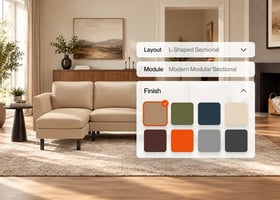
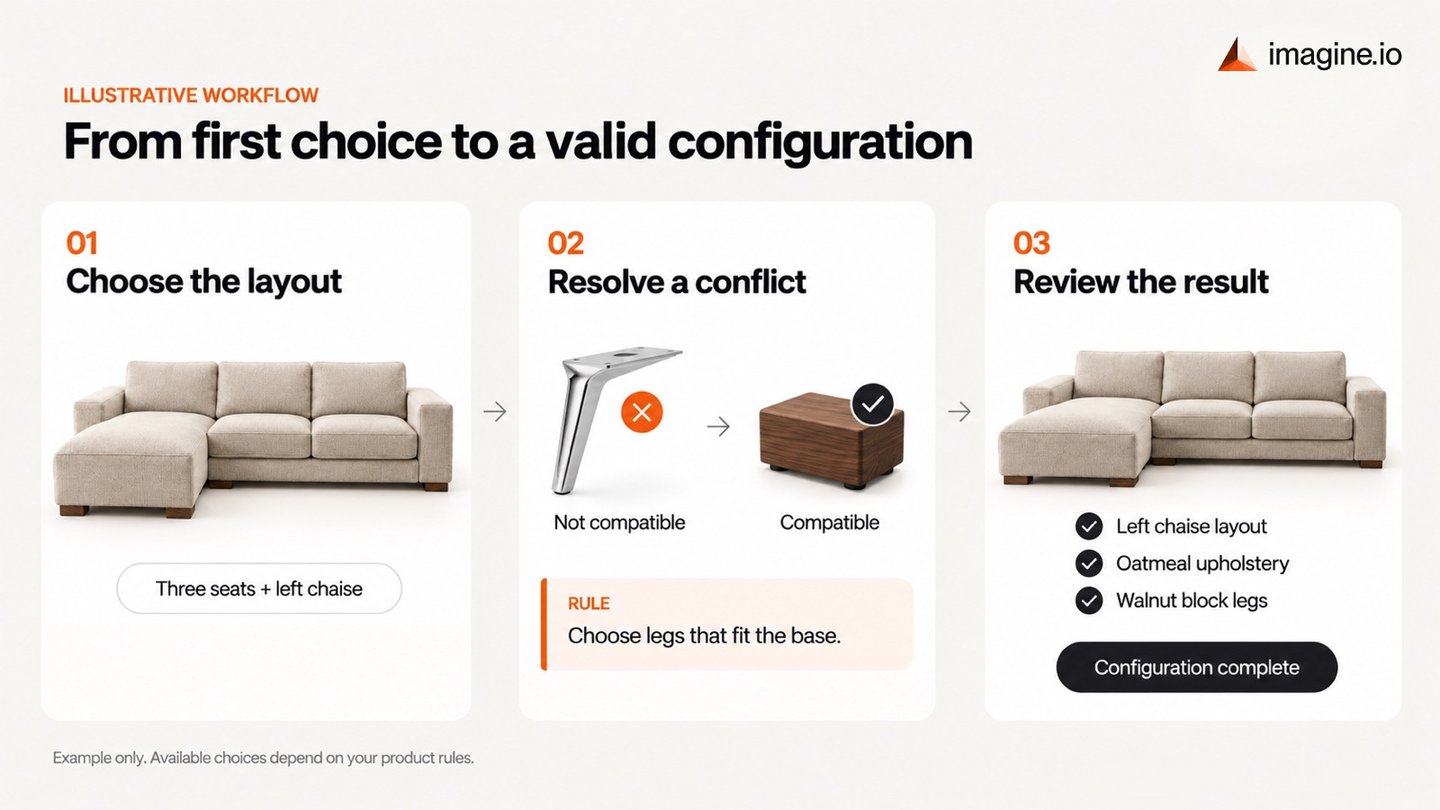
Imagine you are buying a sofa for a room with limited space. You want three seats, a left-facing chaise and easy-care upholstery.
A list of every possible component leaves you to work out what fits. A configurator uses product rules to guide the choices.
|
Your choice |
What the configurator checks |
What you see next |
|
Choose a three-seat layout |
Which modules can form that arrangement |
Supported starting configurations |
|
Add a left-facing chaise |
Connection and orientation requirements |
Compatible chaise options |
|
Select upholstery |
Availability for the selected components |
Supported fabrics |
|
Change the legs |
Compatibility with the selected base |
Valid choices or an explanation |
|
Finish the configuration |
Required selections and remaining restrictions |
A configuration summary |
A visual preview can help you understand the result as you go. Pricing can update too, if it is included in the implementation.
The experience depends on the rules behind those updates. A preview alone cannot tell you whether a combination can be supplied.
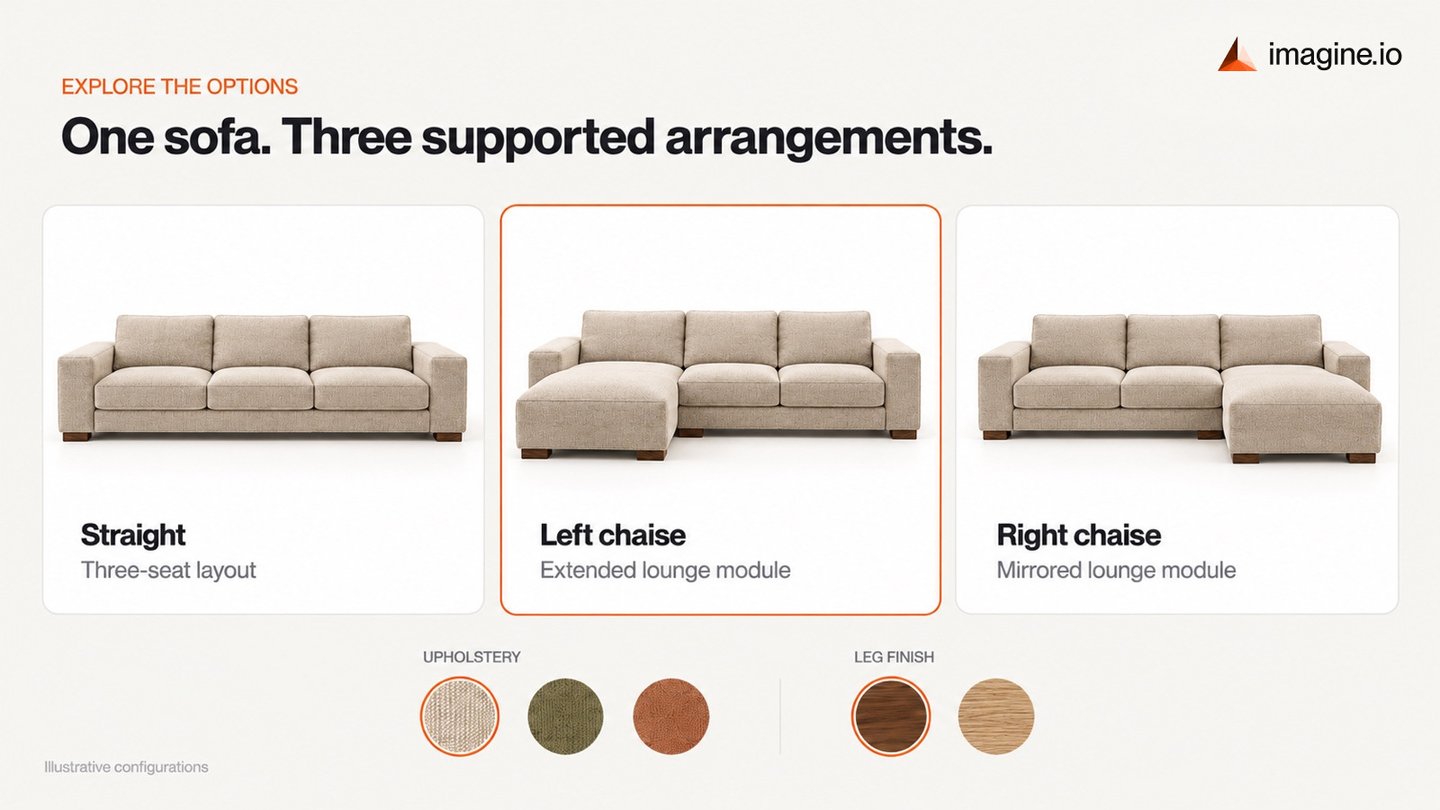
What Makes Those Choices Work Together?
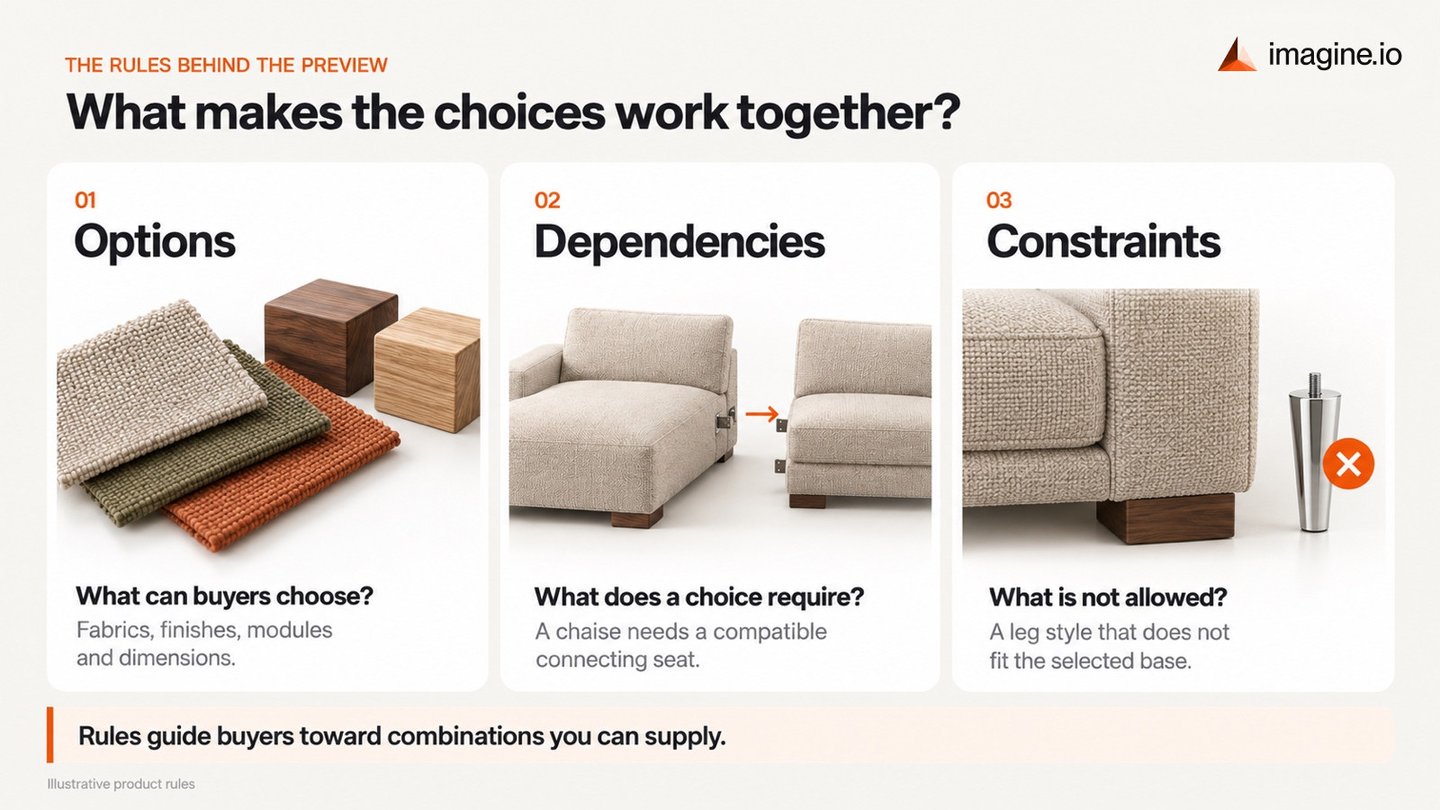
The sofa example relies on three building blocks.
Options: What Can the Buyer Choose?
Options include fabrics, finishes, dimensions, components and accessories.
For the sofa, that might mean the seat modules, chaise orientation, upholstery and leg style.
Dependencies: What Does a Choice Require?
Some selections need another component or condition.
A chaise module, for example, may require a compatible connecting seat. Selecting it can change which components remain available.
Constraints: What Is Not Allowed?
Constraints prevent combinations your business does not support.
A particular leg style may be unavailable for one base. A layout may have a maximum number of modules. Custom dimensions may need to stay within manufacturing limits.
These rules turn product knowledge into guidance buyers can use. They also need maintenance: when a component or material changes, the configuration data must change with it.
What Happens When the Buyer Finishes?
A completed configuration should lead somewhere useful.
Depending on the setup, the buyer might:
- Save the selection and return later.
- Share it with someone else.
- Send the details to a sales team.
- Request a quote.
- Add the configured product to a cart.
This is an important implementation decision. A showroom team may need a specification summary, while an online store may need the selections mapped into a cart.
Formal quotes, bills of materials and technical drawings require the relevant capabilities, data and integrations. Define the required output before choosing how to build the experience.
Do You Need a Configurator or a Simpler Tool?
Start with one question: Does one choice change what the buyer can choose next?
If size and color are independent, a standard variant selector may be enough. If a cabinet’s width limits its doors and fittings, configuration rules become more useful.
|
Tool |
Best suited to |
|
Variant selector |
Choosing an existing variation, such as size and color |
|
Product configurator |
Assembling and validating related options |
|
Configure, price, quote (CPQ) system |
Managing configuration, pricing and formal quoting workflows |
These capabilities can overlap. A configurator may include pricing and quotes, or connect to a wider CPQ system.
The same applies to visualization. A configurator can use forms, 2D images or 3D models. Choose the presentation that helps buyers understand the decisions they need to make.
A Quick Fit Check for Your Catalog
Think about one product family you sell.
- Do buyers ask which parts or options work together?
- Does your sales team repeatedly check the same combinations?
- Do orders arrive with missing or conflicting specifications?
- Is the finished product difficult to understand from individual images?
Each answer points to a problem a configurator could help address. It also gives you something specific to test.
For example, if your team spends time correcting incompatible module selections, start by checking whether a guided configuration helps buyers submit complete, supported combinations.
Start With One Product Family
You do not need to define your entire catalog at once.
Choose a product family with a clear buying challenge, then prepare:
- The choices: Available variants, materials and components.
- The rules: What is required, compatible or excluded.
- The visuals: Existing photos, drawings, CAD files or 3D models.
- The pricing: How selections affect price or quoting.
- The handoff: What happens after the buyer finishes.
Assign someone to keep this information current. Accurate rules matter as much as the interface presenting them.
Bringing the Experience Into imagine.io
imagine.io brings product catalogs, rules, constraints, pricing and 3D visualization together. Its Configurator Platform offers shared links, website embeds and an SDK for custom experiences.
Bring one product family and one buying challenge to the conversation—for example, helping customers choose compatible sofa modules and submit a complete quote request.
Explore imagine.io’s product configurators to discuss how that workflow could work for your catalog.

Activate Your Free Trial